 Skip to main content

You’ve probably wondered how long your printer cartridges really last. The numbers on the box might say you can print hundreds of pages, but is that what you actually get?
If you’re tired of cartridges running dry sooner than expected, you’re not alone. Understanding the truth behind those page counts can save you money and frustration. You’ll discover what affects cartridge life, why page counts can be misleading, and how to get the most out of your ink or toner.
Ready to unlock the secrets behind your printer’s performance? Let’s dive in.
Printer Cartridge Lifespan
Printer cartridges do not last forever. Their lifespan depends on many factors. Understanding these can help you get the most from each cartridge.
Cartridge life varies by type, usage, and care. Knowing the truth behind page counts helps manage expectations. It also prevents unexpected printing stops.
Ink Vs Toner Longevity
Ink cartridges use liquid ink. They tend to dry out faster than toner cartridges. Toner cartridges contain powder and usually last longer.
Ink cartridges may only last a few months if unused. Toner cartridges can last up to two years or more. The print volume also affects how long each lasts.
Shelf Life And Storage
Cartridges have a shelf life even if unused. Store them in a cool, dry place for best results. Avoid extreme temperatures and direct sunlight.
Unopened ink cartridges usually last around 12 to 24 months. Toner cartridges can stay good for 2 to 3 years. Proper storage helps maintain print quality.
Effects Of Environmental Factors
Heat, humidity, and light can reduce cartridge life. High temperatures may cause ink to dry or toner to clump. Humidity can damage the cartridge components.
Keep cartridges away from direct sunlight and moisture. Using them regularly prevents ink from drying inside the cartridge. Environmental care extends cartridge usability.

Page Counts Explained
Understanding page counts helps you know how long printer cartridges last. Page counts show the estimated number of pages a cartridge can print. They give a rough idea but do not guarantee exact results.
Many factors influence how many pages a cartridge will print before running out. Knowing what affects page yield can help set the right expectations.
What Page Counts Mean
Page counts indicate the number of pages printed with standard coverage. Usually, this means about 5% of the page is covered with ink or toner. This standard is used to compare cartridges fairly.
Actual printed pages with heavy graphics or photos will be fewer. Light text printing can stretch the cartridge beyond the estimated page count.
Factors Affecting Page Yield
Print quality settings impact ink use. High-quality prints use more ink per page. Draft mode uses less ink and extends cartridge life.
Paper type also matters. Glossy or photo paper may absorb more ink. This reduces the total pages printed.
Environmental conditions like temperature and humidity can affect cartridge performance. Frequent printer cleaning cycles use ink, lowering yield.
Manufacturer Estimates Vs Real Use
Manufacturers test cartridges under ideal conditions. They use simple documents with minimal ink coverage. Real-life printing often differs, so page counts vary.
Heavy users may find cartridges last less than the estimate. Casual users might get more prints. Always consider your personal printing habits.
Buy cartridges based on your typical print volume, not just page counts. This approach avoids surprises and ensures smoother printing.
Why Ink Runs Out Quickly
Ink often runs out faster than expected. Many factors cause this quick depletion. Understanding these reasons helps manage cartridge life better. Below are key causes why ink disappears quickly.
Impact Of Print Quality Settings
High print quality settings use more ink per page. Choosing “Best” or “Photo” mode means heavy ink use. Draft or normal modes save ink by printing lighter. Using high quality for simple documents wastes cartridge ink. Adjusting settings can stretch cartridge life significantly.
Ink Drying And Usage Patterns
Ink can dry inside cartridges or nozzles when unused. This clogs the printer and wastes ink during cleaning cycles. Printing infrequently causes more drying and ink loss. Frequent short print jobs use more ink than fewer large ones. Consistent printing keeps ink flowing and reduces drying waste.
Printer Memory And Print History
Printers save temporary print jobs in memory. Some models perform cleaning tasks based on usage data stored. These cleaning cycles consume ink to keep print heads clear. Memory resets or power cycles can trigger extra cleaning. Understanding your printer’s behavior helps avoid unexpected ink use.
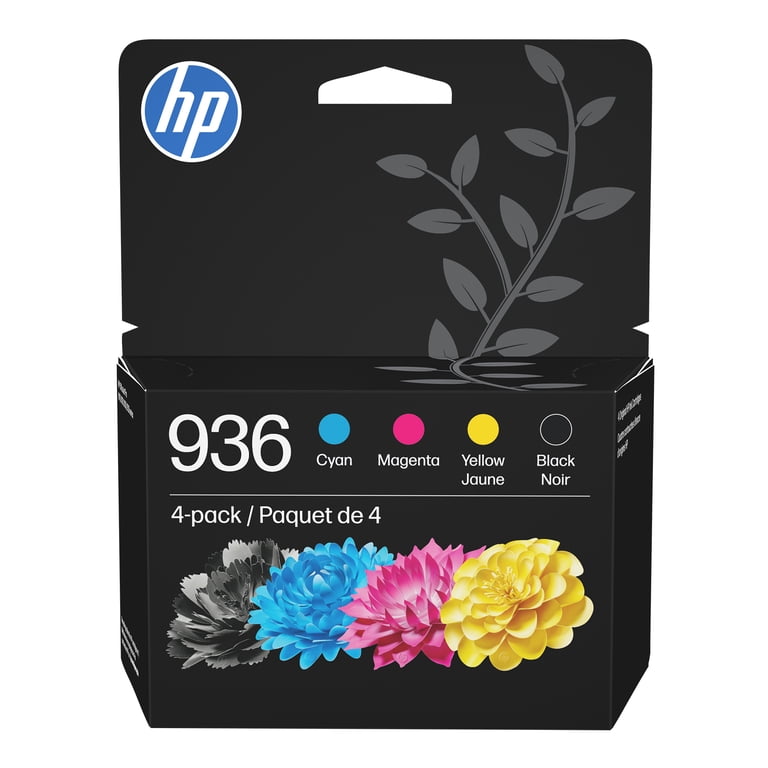
Extending Cartridge Life
Extending the life of your printer cartridges can save money and reduce waste. Simple habits help cartridges last longer and keep print quality steady. Small changes in storage, settings, and maintenance make a big difference.
Learn easy ways to get more pages from each cartridge. Follow these tips to keep your printer running smoothly.
Proper Storage Tips
Store cartridges in a cool, dry place away from sunlight. High heat or moisture can damage the ink. Keep cartridges sealed until ready to use. Avoid leaving cartridges in the printer if you don’t print often. This prevents the ink from drying out and clogging.
Printer Settings To Save Ink
Use draft or economy mode for everyday printing. This lowers ink use without big quality loss. Choose black and white printing when color is not needed. Adjust page layout to print more on each page. Print double-sided to reduce paper and ink use.
Regular Maintenance Practices
Clean print heads regularly to avoid clogs and streaks. Run test prints to check ink flow and quality. Turn off the printer properly to protect cartridges. Avoid long periods of inactivity; print at least once a week. This keeps ink flowing and prevents drying.
Using Expired Cartridges
Using expired printer cartridges might seem like a simple way to save money. Many people keep cartridges past their expiration date, hoping they will still work. This choice can affect print quality and even damage your printer. Understanding the risks and knowing when to replace cartridges helps avoid problems.
Risks Of Expired Ink And Toner
Expired ink can dry out and clog printer nozzles. Toner powder may clump, causing streaks or smudges on paper. Using old cartridges can lead to poor print quality and wasted paper. Sometimes, expired cartridges cause printer errors or stop printing entirely. Repair costs from damage might be higher than replacing cartridges.
Signs Of Cartridge Expiration
Faded or streaky prints often signal cartridge problems. Colors may look dull or incorrect. Ink may leak inside the printer, causing stains. The printer may show error messages about cartridges. Slow printing or frequent jams can also indicate expired cartridges.
When To Replace Cartridges
Replace cartridges when print quality drops noticeably. Follow the manufacturer’s expiration date on the packaging. If your printer warns about low or expired ink, change cartridges soon. Replace cartridges after long storage, even if unused. Regular replacement keeps prints sharp and protects your printer’s health.
Comparing Cartridge Types
Choosing the right printer cartridge can affect how long your prints last. Different types offer varied page counts and costs. Understanding these options helps pick the best fit for your printing needs.
Standard Vs High-yield Cartridges
Standard cartridges hold less ink or toner and print fewer pages. High-yield cartridges contain more ink or toner and print more pages. Though high-yield cartridges cost more upfront, they often reduce the cost per page. They also need fewer replacements, saving time and hassle.
Oem Vs Compatible Cartridges
OEM cartridges are made by the printer’s original manufacturer. They ensure quality and compatibility but come at a higher price. Compatible cartridges are made by third-party companies and are usually cheaper. Quality varies, so some may print fewer pages or cause issues.
Cost And Performance Differences
Standard cartridges cost less but need frequent replacement. High-yield cartridges save money over time with more pages. OEM cartridges offer consistent print quality and longevity. Compatible cartridges can save money but may have lower reliability. Balancing cost with performance depends on your printing habits.
Frequently Asked Questions
How Long Should A Print Cartridge Last?
A print cartridge typically lasts between 200 to 500 pages, depending on printer type and usage. Toner cartridges last longer than ink cartridges. Proper storage and print settings can extend cartridge life. Always check the manufacturer’s guidelines for accurate lifespan details.
How Long Does A Printer Keep The History Of What Is Printed?
Printers keep print history temporarily in their memory, usually only until the job completes or the device restarts.
Why Do Hp Ink Cartridges Run Out So Fast?
HP ink cartridges run out quickly due to high-quality print settings and frequent color usage. Ink also evaporates over time.
What Is The Average Lifespan Of A Cartridge?
The average lifespan of a printer cartridge varies by type. Ink cartridges typically last for 200-400 pages, while toner cartridges can print 2,000-3,000 pages. Proper storage and usage affect longevity. Check manufacturer guidelines for precise lifespan and replacement recommendations.
Conclusion
Printer cartridge life varies by use, printer type, and settings. Page counts offer a rough estimate, not a guarantee. Printing quality and frequency affect how fast ink or toner runs out. Storing cartridges properly can extend their usability. Always follow manufacturer advice for best results.
Understanding these factors helps you plan replacements better. Keep an eye on print quality to know when to change cartridges. This saves money and avoids printing interruptions. Remember, real-life cartridge life often differs from advertised numbers.
